
How Flipick works: create, distribute, prove.
One platform takes a brief from a written screenplay to a finished, on-brand film — then delivers it personally and measures who watched. Here’s the pipeline, the studio tools up close, and the proof.
Product 1 · AI Video Creation
Inside the studio. A closer look.
Five tools do the heavy lifting — from the first conversation to the personalised final frame. Here’s each one on screen.
Every project starts with a
screenplay, not a blank page.
Describe your objective and the AI builds a production-ready screenplay through a structured conversation — narrative arc, scenes, shot-by-shot breakdowns, voiceover and dialogue.
- Campaign styles — Narrative Ad, How-To, or Product Showcase, each with its own shot grammar
- Pace management — from measured to Super Energetic, controlling visual beats per shot
- Beats grid — Super Energetic renders a 3×3 grid: nine frames in a ten-second clip
- Editable shots — edit the visual and motion prompts and voiceover text, and regenerate any shot
- Create from Import — already have an approved concept? Import a plot doc and skip the story pass
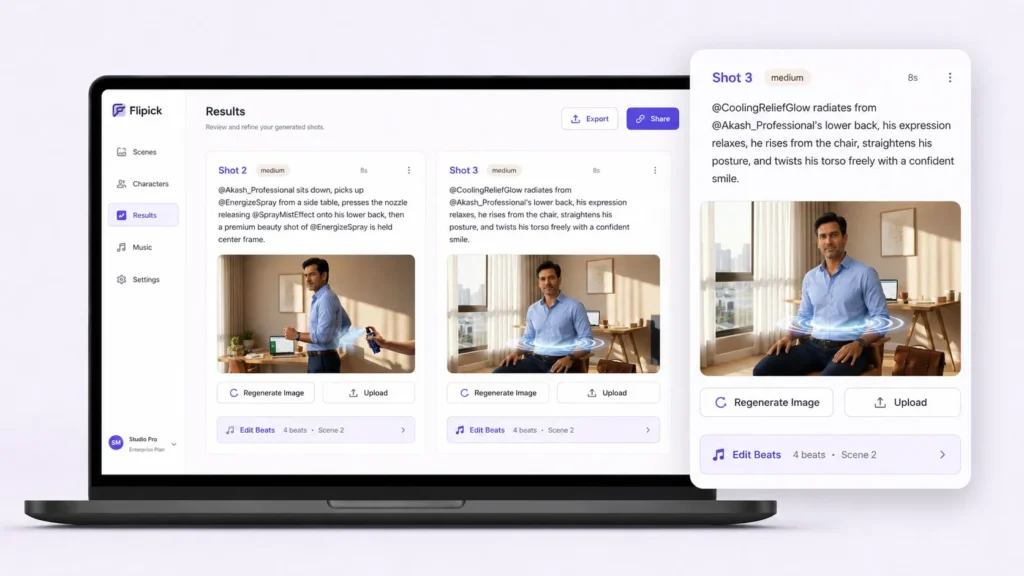
Turn the approved storyboard into finished video.
Once the screenplay is signed off, the Video Builder generates each shot, renders the beats and assembles the cut — with control over every frame.
- Beats engine — each shot renders as beat frames stitched into the clip; pace sets how many
- Regenerate precisely — re-render a single beat or shot without disturbing the rest
- Per-shot control — edit the visual and motion prompts, then re-render cleanly
- Voiceover & reference locks — VO text feeds the TTS pipeline; reference slots hold the character and location images the engine uses
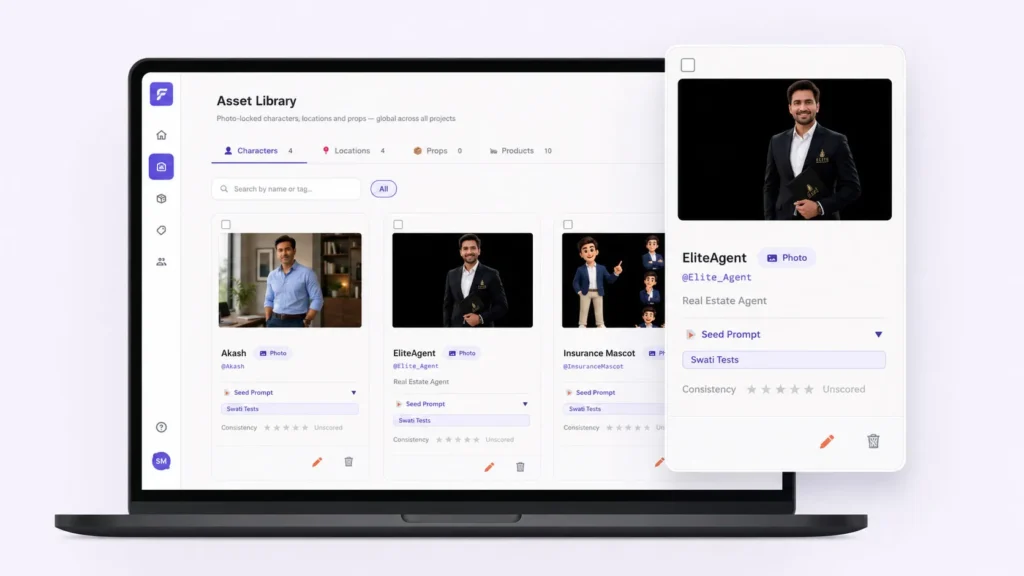
Build a brand world once. Reuse it everywhere.
A central repository of reusable production elements — ambassadors, products, characters and locations — that persist across every project in your organisation, carrying their full visual identity.
- Real brand ambassadors — lock a real person’s likeness; the same face and style across every campaign
- Products as hero elements — held in the Asset Library and reused as the hero of a shot across campaigns, without consuming a generation slot
- AI characters & locations — personas with multiple looks, and environments reproduced consistently scene to scene
- Promote & share — create in a project, promote to the library; scoped to your tenant, shared across your team
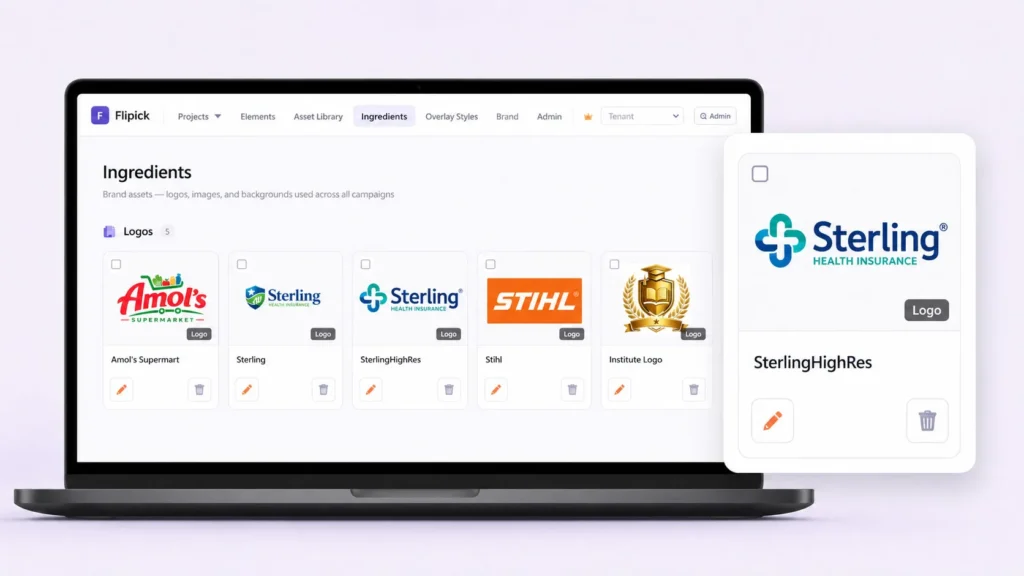
The static building blocks of every overlay.
Ingredients are static image assets — logos, backgrounds, headline graphics, product shots — stored once and assembled into the personalised frames that sit on top of generated video.
- Upload once, reuse anywhere — categorise and assign into overlay slots across any project
- Position by slot — logo top-right, lifestyle panel behind text, product image in its zone
One master video. Hundreds of variants.
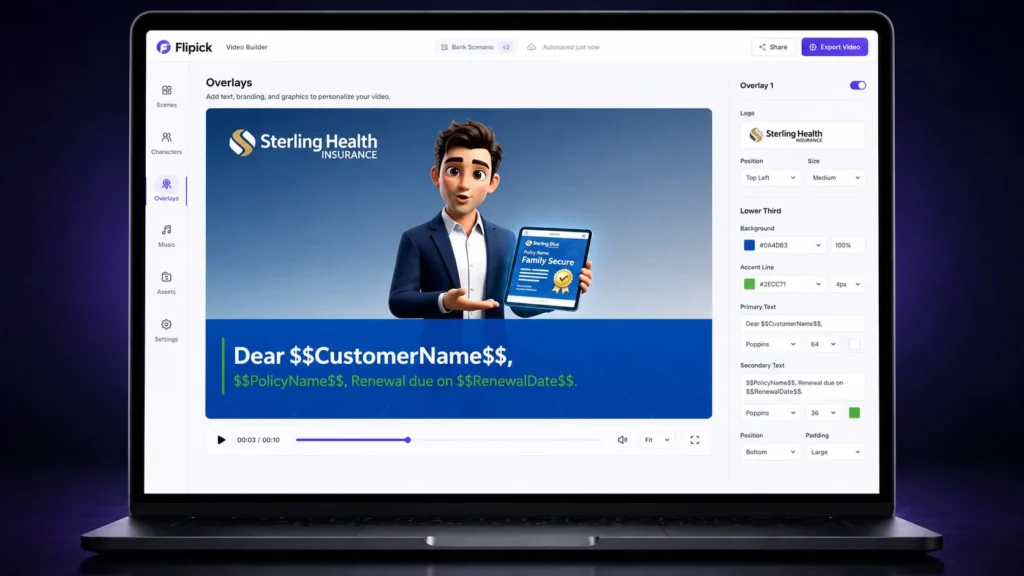
Overlays are composited on top of the generated video — text, logos, pricing, disclaimers, CTAs. Generate the master once; produce 500 retailer variants for a fraction of the cost of 500 videos.
- Excel-driven variants — define variables, populate one row per variant, upload, get a named MP4 each
- Prices live on overlays — financial values are never baked into AI video, keeping regulated content accurate & auditable
- 8 template types — banners, logos, product images, CTA panels, lifestyle backgrounds
- Orientation-aware — scales for 16:9 and 9:16; batch ZIP delivers every variant at once
Your cast and products stay the same — every scene.
Put the four tools together and you get the thing raw generators can’t do: a presenter and product held steady across a whole film, branded and localised — fast, on brand, and consistent from scene one to nine.
Deliver it personally, then prove it landed..
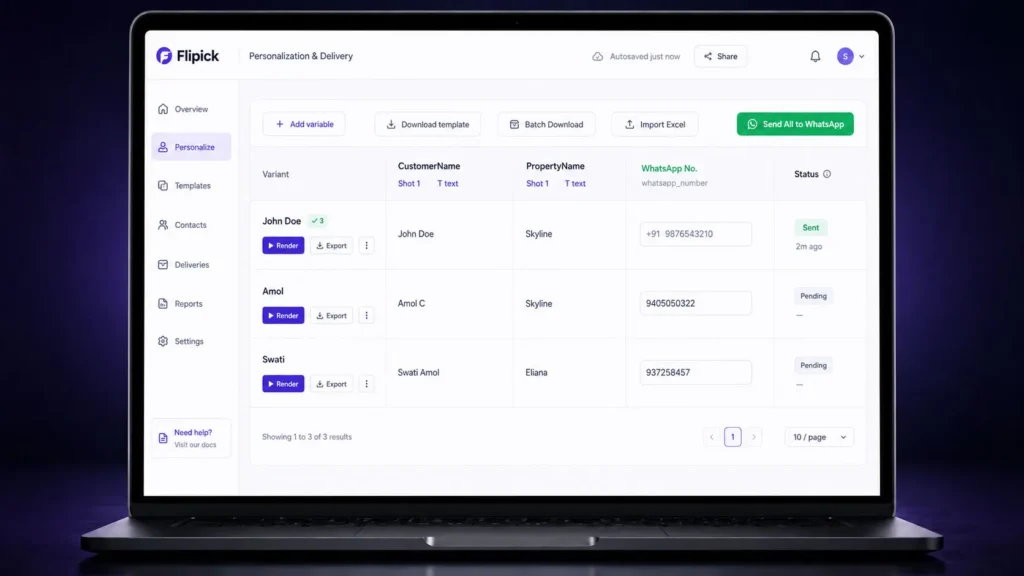
One master film becomes a version for everyone.
Map recipient fields — name, role, branch, language — and Flipick renders a personal cut for each, delivered by link, email, in-app or your LMS.
- Personalized fields per recipient
- Campaigns, scheduling and recipient management
- Deliver by link, email, in-app or your LMS
The whole loop, measured
Create → Distribute → Prove.
Days, not weeks
Brief to finished, on-brand film
1 → many
A personal version for every viewer
100 %
Authenticated, audit-ready proof
See the studio on your own brief.
Bring a script, a deck or a product, and watch it become a finished, measured video.